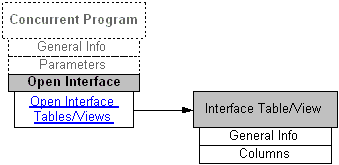
Open Interface integrations are always implemented using concurrent programs; therefore, Open Interface information is listed in a region on the concurrent program interface details page. The following diagram illustrates the basic structure of the Open Interface information and its connection to the related interface table or view information page.
After browsing through the interfaces with View by 'Open Interface', open interface tables and views are listed based on your selected product family. This type of interface stores the interface data, including active status, and whether it stores data inbound to Oracle E-Business Suite or outbound to another system.
The Open Interface details page appears when you click an Open Interface table name from the interface list table in the Integration Repository.
The general section of this page displays common information for the selected interface table.
Click a name link in the Open Interface Tables/Views region to display the selected Open Interface Table details page containing interface table columns and their attributes such as data type, data length, data precision, and data scale.