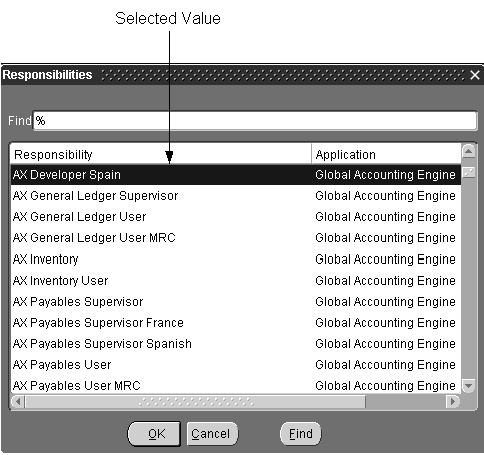
LOVs are used when the user must select from a list of valid values in a text field.
All LOVs open near the item they are associated with, or if there is no specific item, they open centered in the MDI window. (OMS-74045)
LOV columns are set to use Autosize, which ensures that the column width can fully display its title.
Width: Maximum: 7.8" Minimum: 3" Any width between these is allowed. (OMS-74046) However, the following guidelines are recommended:
[Translation] The column width in the LOV should match the length of the field in the window.
The LOV window should be smaller than the window from which it was invoked so the LOV does not totally obscure it.
The title is the name of the object in the LOV, and is plural, for example, "Customers." For a "Row LOV," where the user chooses a particular record, the title is "Find" plus the name of the entity (with the name of the entity in singular). For example, a Row LOV to find Purchase Order Lines would have a title of "Find Purchase Order Line." (OMS-74047)
The prompt of the first column is related to, or matches identically, the prompt of the item that invoked it. (OMS-74247)
[Translation] In an LOV, display the value of a true/false value as "*" for true and <blank> (no value shown) for false. This is easier for a user to read quickly than words like "True" or "Yes," and simplifies translation. (OMS-74248)
All LOVs use the default visual attributes. (OMS-74249)
LOVs do not display automatically upon navigating to a field. (OMS-74250)
LOVs automatically select a row when the list of valid choices is reduced to one. However, an LOV that is not associated with a text item (such as one that is invoked by pressing a specific button), should not automatically select a row. (OMS-74451)
(OMS-74452) After selecting from an LOV, the cursor automatically moves to the next field except when:
the next field is in a region not currently displayed.
the field is a mirror item of a field in Folders, like in Combination Blocks.
the field is the last navigable field in a multi-row block with horizontal scrolling.
If an LOV may show more than 100 records, then the user must be prompted to reduce the list of valid values first. (OMS-74048)
In normal (entry) mode, an LOV shows only values that currently can be selected.
EXCEPTION: Validation can be performed after-the-fact if any of the following apply:
The validation clause cannot be written in a single SQL statement.
The validation clause is too costly to evaluate in a single SQL statement.
The reason for exclusion from the list is obscure to the user.
In such cases, after the value is selected show an error message indicating exactly why the value could not be selected.
Do not provide LOVs in QBE.
For information on implementing Lists of Values, see the Oracle Applications Developer's Guide.