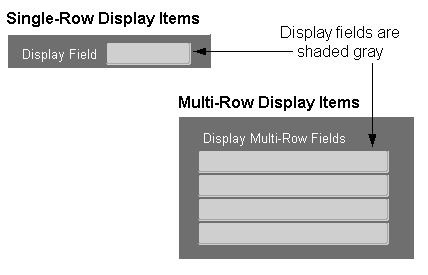
Only use display items for fields that never require the user to interact with them in any way, including scrolling or querying. (OMS-74018). This will generally restrict their use to:
context fields
fields that are sized such that scrolling would be unnecessary (such as total fields)
fields that may display truncated information, but some other mechanism (such as overflow fields) exists for the user to see the entire contents of the field
dynamic boilerplate
Display items may be used to simulate dynamic boilerplate when the Prompt attribute is not adequate.
[Translation] The width of a display item must be set to display its contents fully and to accomodate translation expansion; or, the item width may be sized for the current text length at runtime. (OMS-74019)
(OMS-74020) When Display items hold data, they are displayed similarly to text items. See: Text Items.
Height: 0.25"
Inter-row Spacing: 0.0"
Color: gray background
Bevel: Inset
When Display items are used as boilerplate, they are displayed as follows (OMS-74022):
Height: 0.2"
Inter-row Spacing: 0.0"
Color: background matches the current canvas color
Bevel: None
Y Position: 0.05" below the nearest gridline
[Translation] To support bidirectional languages which read right to left, use the following rules to set alignment properties (OMS-74021):
Use "Start," "Center," or "Right" for display items that show data.
Use "Start," "Center," or "End" for display items that act as boilerplate.
For information on implementing Display Items, see the Oracle Applications Developer's Guide.