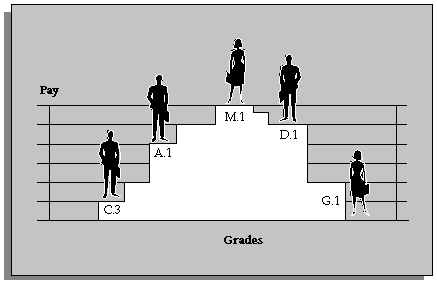
Grades are normally used to record the relative status of employee assignments and to determine compensation and benefits, such as salary, overtime rates, and company car.
You can define one or more valid grades for each job or position. You enter this information in the Valid Grades window, which opens from the Job window or the Position window.
When you enter a grade assignment, the list of grades shows which ones are valid for the job or position you select.
Grades can have different levels of complexity, which need to be represented in the overall structure of the grade.
In its simplest form, a grade can be a single character, or number, in a logical sequence. For example:
Grade A
Grade B
Grade C
By adding a second segment to the grade name, you can identify sub-grades, such as:
Grades A.1, A.2, A.3, and A.4
Grades B.1 and B.2
Grades C.1, C.2, and C.3
A more complex structure could be used to distinguish grades for different staff groups, such as:
Manual.A.1, Manual.A.2, and Manual.G.1
Clerical.C.1 and Clerical.C.2
In this example, there are three segments in the grade name. A grade is the combination of segments you define. You set up the segments and their valid values using the Grade Name Key Flexfield. Normally this is done by the system administrator.