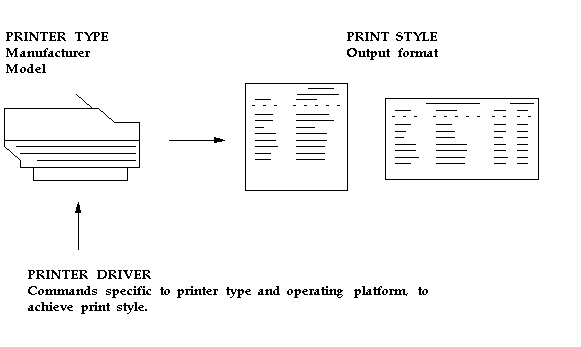
The commands that a printer can understand vary from one type of printer to another. A printer type identifies a printer by manufacturer and model.
A print style tells the printer how a printed output should look. A printer driver delivers commands that tell the printer how to output the specified print style.
The ability to print a report in a particular print style depends on the type of printer the report file is sent to.
For each print style that a particular type of printer can print, a printer driver specific to the printer type and the operating system is required.
The printer type is the printer manufacturer and model. Two examples are a DEC LN03 printer and an HP Laserjet III printer.
A Print style defines the page format for a printer, such as the number of lines per page, the width of each line, and whether a header page should be printed.
Each printer type can have one or more associated print styles.
Print styles allow you to set up report dimensions on a variety of printers. You can tailor your page setups while providing consistent-looking reports from printer to printer.
For example, users may wish to print a menu report with a wider left margin to allow for hole punching the paper. As System Administrator, you register this new style, which users can then access if the printer type supports it.
At report submission time, users select the style in which to output the report.
Only styles available on the destination printer are displayed.
Some concurrent programs predefine either the printer or the print style, and these values cannot be changed.
To print in a particular style from a particular printer type, you define a printer driver. A printer driver is the mechanism that delivers a report's output along with its commands to the target printer.
Concurrent managers determine what drivers to use depending on what the print style is and what printer type the report is to be sent to.
You need to define a printer driver for each print style that you want to use with a specific printer type on a specific platform.