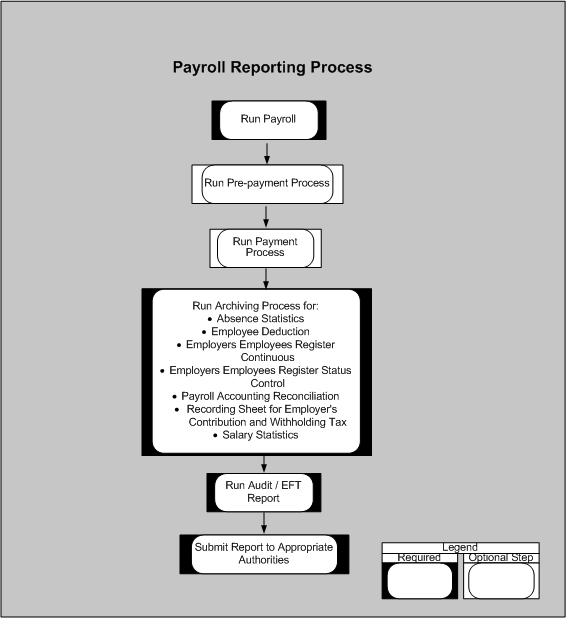
You can run the following payroll, deduction, and payment reports:
Absence Statistics Report
Employee Deduction Report (Tax Levy Deduction, Union Due Deduction, and Support Order and Other Deduction)
Employers Employees Register Continuous Report
Employers Employees Register Status Control Report
End of Year Audit Report
End of Year Employer Contribution Summary
Payroll Accounting Reconciliation Report
Recording Sheet for Employer's Contribution and Withholding Tax
Salary Statistics Report
Archiving and Reporting Overview
You generate the payroll reports after running the required payroll processes. As shown in the preceding graphic, running reports is basically a two-step process that requires:
Archiving the relevant data for the report.
Running the report request.
After archiving the report data once, you can run the same report again without re-archiving. The application searches for the most recent archived data. For an up-to-date report, always perform both steps. You can choose to run the audit and EFT (final) reports for the following reports:
Employers Employees Register Continuous Report
Employers Employees Register Status Control Report
End of Year Audit Report
Employer Contribution Summary Report
Salary Statistics Report