Oracle XML Publisher is a template-based publishing solution delivered with the Oracle E-Business Suite. It provides a new approach to report design and publishing by integrating familiar desktop word processing tools with existing E-Business Suite data reporting. XML Publisher leverages standard, well-known technologies and tools, so you can rapidly develop and maintain custom report formats.
The flexibility of XML Publisher is a result of the separation of the presentation of the report from its data structure. The collection of the data is still handled by the E-Business Suite, but now you can design and control how the report outputs will be presented in separate template files. At runtime, XML Publisher merges your designed template files with the report data to create a variety of outputs to meet a variety of business needs, including:
Customer-ready PDF documents, such as financial statements, marketing materials, contracts, invoices, and purchase orders utilizing colors, images, font styles, headers and footers, and many other formatting and design options.
HTML output for optimum online viewing.
Excel output to create a spreadsheet of your report data.
"Filled-out" third-party provided PDF documents. You can download a PDF document, such as a government form, to use as a template for your report. At runtime, the data and template produce a "filled-out" form.
Flat text files to exchange with business partners for EDI and EFT transmission.
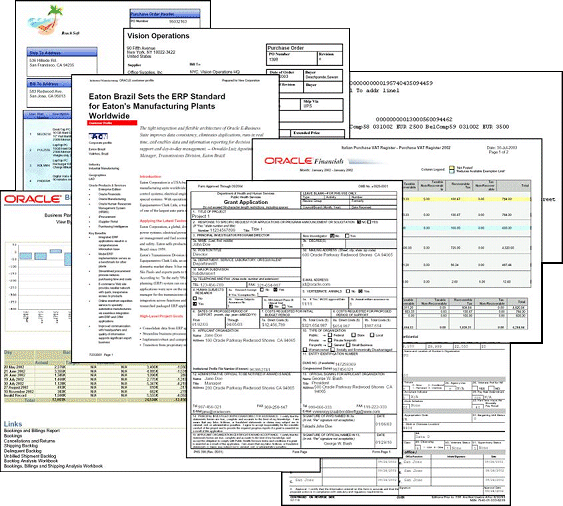
The following graphic displays a few sample documents generated by XML Publisher:
XML Publisher provides the Template Manager for E-Business Suite users to register and maintain report templates and their data sources. Once both have been registered, use the XML Publisher Concurrent Request to merge the template and its data source into the customized report.
Template Manager
The Template Manager is the repository for your templates and data sources. It is also the interface for to you associate your templates to data definitions and make them available to XML Publisher at runtime. From the Template Manager you can download, update, and preview your templates and translations.
XML Publisher provides components that you can install on your desktop to facilitate template development.
The Template Builder is an extension to Microsoft Word that simplifies the development of RTF templates. It automates many of the manual steps that would otherwise be required.
The Template Viewer is a Java application that facilitates the rapid development of templates by providing advanced preview capabilities for all template types.